Any post, any inbox, one image.
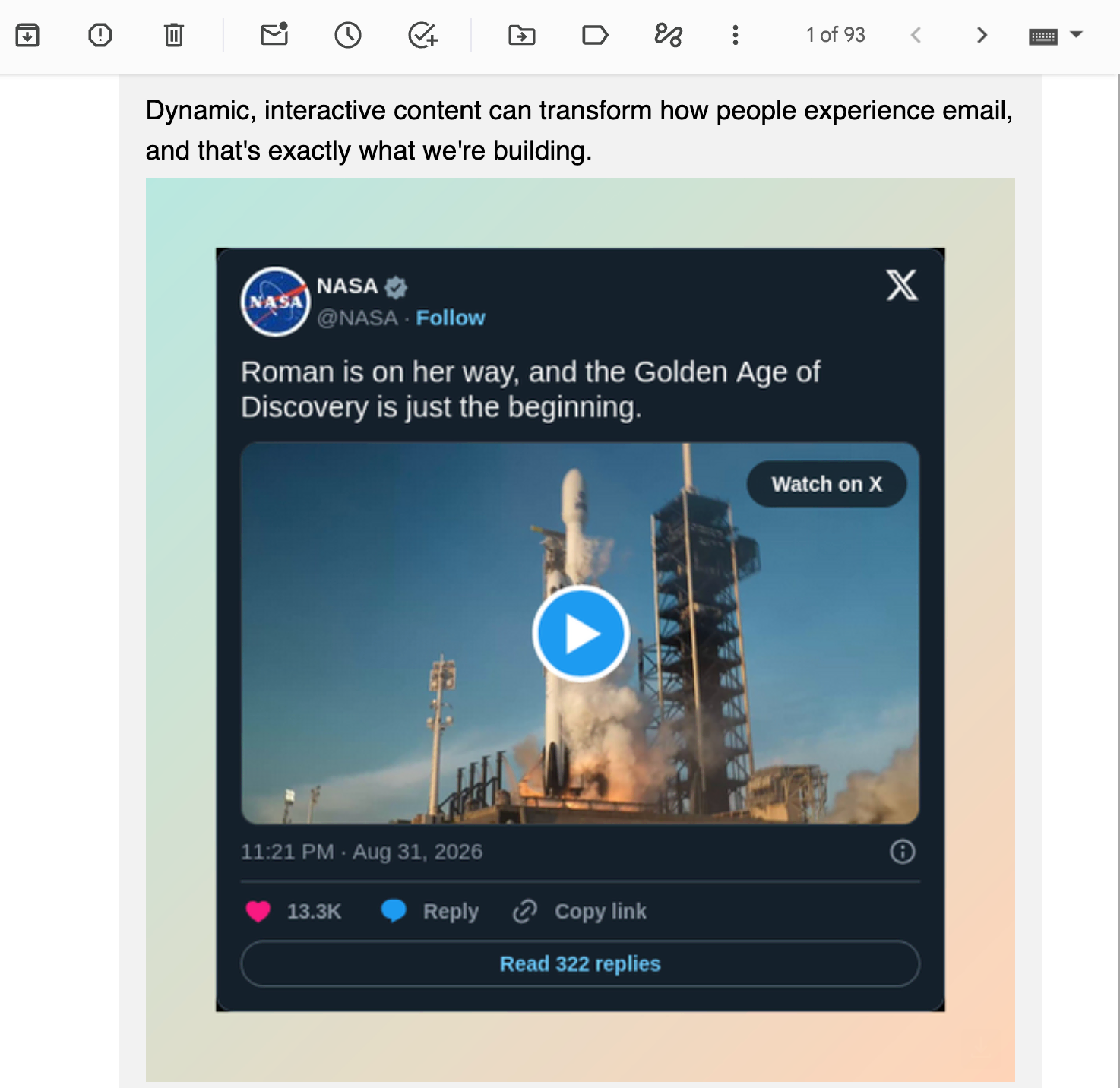
Paste a link to a post. Get back an image that renders wherever email renders — no code, no cropping, no embed to break.
See it in 50 seconds
What it replaces
Putting a post in an email used to mean a screenshot, a crop that never quite lined up, and a file to host somewhere. One image, every time you wanted to reuse it.
Grab a screenshot, crop it by hand, upload it to some image host, then hope the link still works when the campaign sends. Do it again next time.
Paste the link, generate, done. Dynamo hosts the image — copy the URL into any image block, in any ESP.
How it works
From link to inbox
in three steps.
Supported platforms
Three platforms.
One output.
Why Social
Built for the inbox.
Works everywhere.
FAQ
Got questions
about Social?
Everything you need to know about supported platforms, output format, and getting a post into your next send.
Paste a link to a post on X, Instagram or Facebook; get back a hosted image you can drop into any email.
No. Paste, generate, copy the URL.
Yes — it's a static image, the one format every email client already handles.
Yes — generate for free with a small "dynamo.email" watermark on the image. Upgrade to Pro ($99/year + VAT if applicable) to remove it.
Anonymous generations expire 72 hours after you create them — embed the URL in your campaign soon after generating, or sign in to keep the image hosted with your account, no expiry.
Pricing
Simple, flat-rate pricing.
Free to try with no time limit. $99/year per product + VAT if applicable to go watermark-free. No per-seat fees or other nonsense.
Generate as many images as you like, from any of the three supported platforms. Generated assets include a small "Powered by Dynamo" watermark. No card required.
- X, Instagram, and Facebook support
- Unlimited generations
- Light and dark styles
- Works with any ESP
- Watermark on all assets
Remove the watermark, unlock the gradient style, and keep a permanent history tied to your account.
- Everything in Free
- No watermark — your brand only
- Gradient style unlocked
- Priority email support
Usage-based fees may apply for high-volume usage.